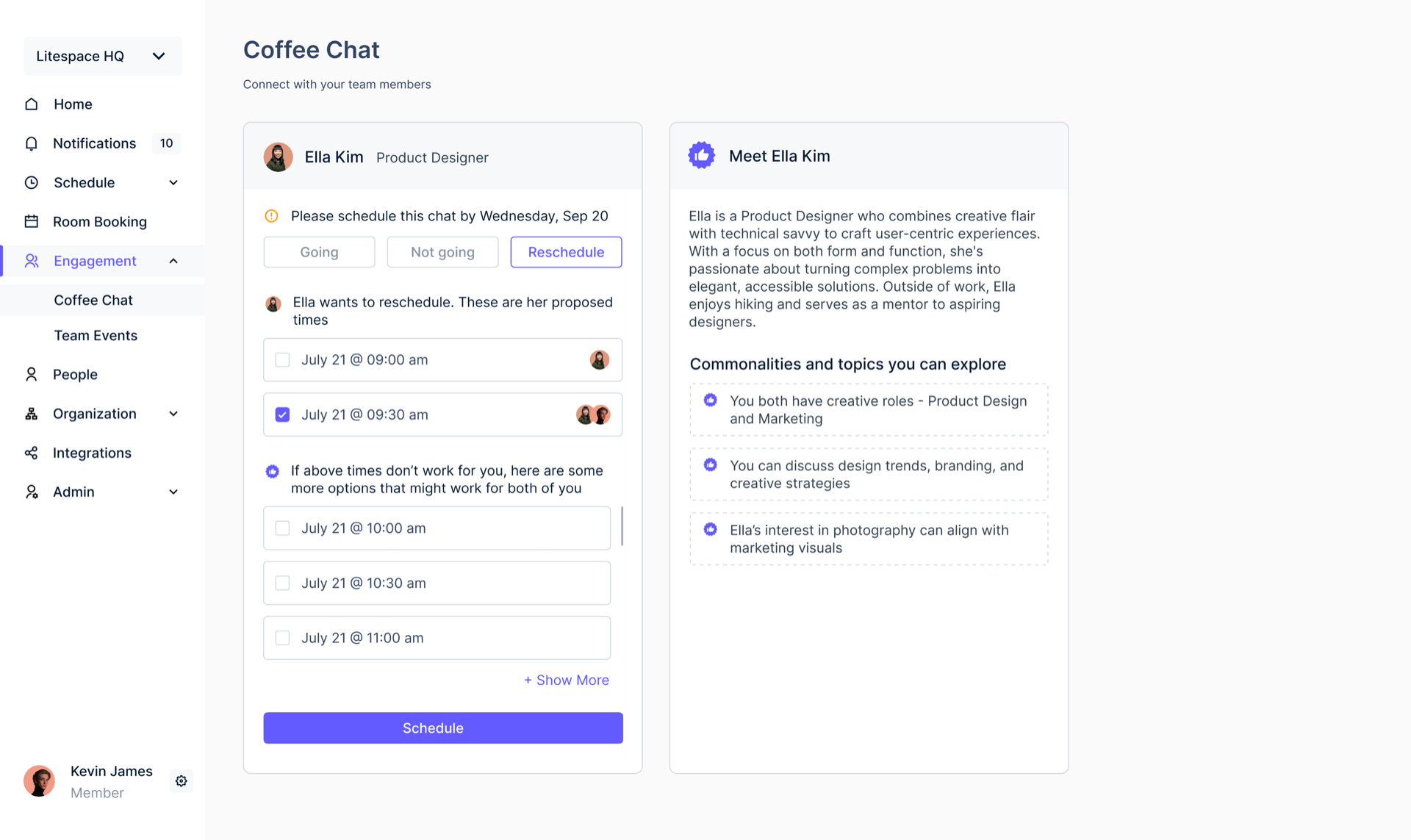
AI powered coffee chat for intentional, pressure free pairings across hybrid teams.
Professional
2 weeks · Sep 2023
1 Engineer
Product Designer (Me)
Figma
ChatGPT
Overview
Coffee Chat is the 0-to-1 feature of Litespace, an AI powered enterprise platform for engagement in hybrid and remote workplaces. It pairs two people who would not otherwise meet, tells them why they were matched, and takes the social pressure out of accepting.
Users opted into Coffee Chat within the first month, signaling strong early adoption
Chats generated in the first month through auto-matched pairings
Problem
To improve team connection in hybrid and remote environments, I identified key challenges through observations, customer feedback, and teammate interviews. Three of them made this hard to design.
Nothing tells you why you were paired, so accepting the invite and starting the conversation both carry social pressure.
There is no rich profile to match on. The only signals available are lightweight: profiles, onboarding inputs, and shared Slack channels.
Both people have to land on one time, and every existing tool pushes that into direct messages, where message overload and drop-off follow.
Research
To understand how others addressed casual interactions, I conducted a competitive analysis of Slack bots, virtual spatial platforms, and co-working tools.
| Category | Tool | Pros | Cons |
|---|---|---|---|
| Slack-Integrated Matching Bots | Donut (Slack bot) 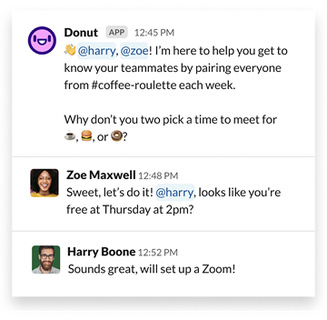 |
Seamless Slack integration Fully automated matching Scales for teams |
Feels robotic Repetitive if not personalized |
Watercooler Trivia 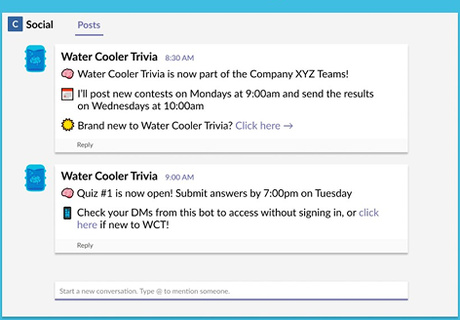 |
Fun and engaging Low effort to run |
Shallow connection May become distracting over time |
|
| Virtual Spatial Platforms | Gather 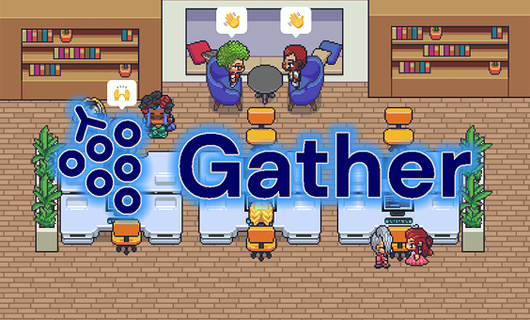 |
Spatial, playful interaction High sense of presence |
Requires onboarding Can feel game-like and distracting |
| Co-working Tools | Focusmate 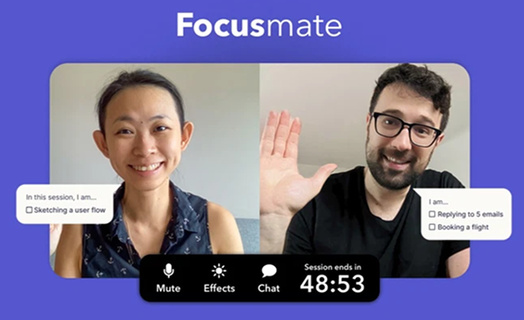 |
Promotes deep work Accountability-based |
Lacks social/casual interaction Meant for individual focus |
Existing tools approach casual interaction from different angles, such as automated matching, shared spaces, or structured activities, but few clearly communicate the reason behind a specific pairing or reduce the social pressure of starting the conversation. This insight shaped Coffee Chat's direction: combining intentional pairing with a low pressure experience, without requiring direct message coordination.
Goals and constraints
The rebrand from a green identity to a blue one was still in progress, and we had two weeks to design and ship. That scoped the MVP to one meaningful chat per week, and anything that added friction had to go.
Meaningful pairings
Users were more likely to accept a pairing when they understood why they were matched. I championed using the GPT-3 API to infer a connection from those lightweight signals and generate a plain-language explanation for each match.
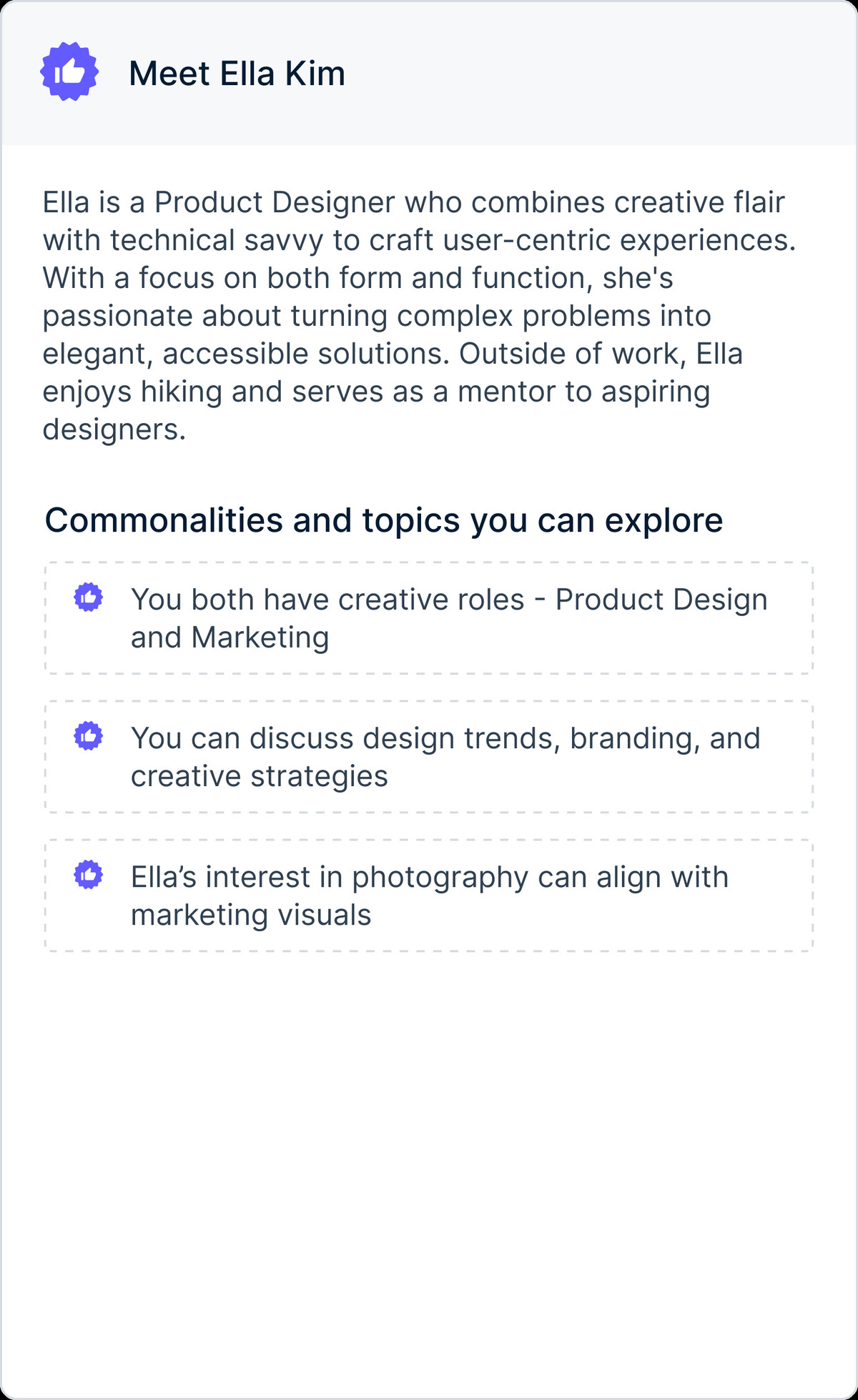
A warm profile summary grounded in each person's background, so users quickly understand who they're meeting beyond a static bio.
Transparent reasons for why the pairing was made, giving users confidence to accept instead of dismissing random matches.
The user flow
Coffee Chat removes messaging entirely, replacing it with default states, automated scheduling, and clear fallback paths.
What testing changed
Faced with a complex UI, I initially designed a multi-functional widget. User testing revealed its high cognitive load, leading me to divide it into two simpler widgets for availability and reasons, which received more positive feedback during internal A/B testing.
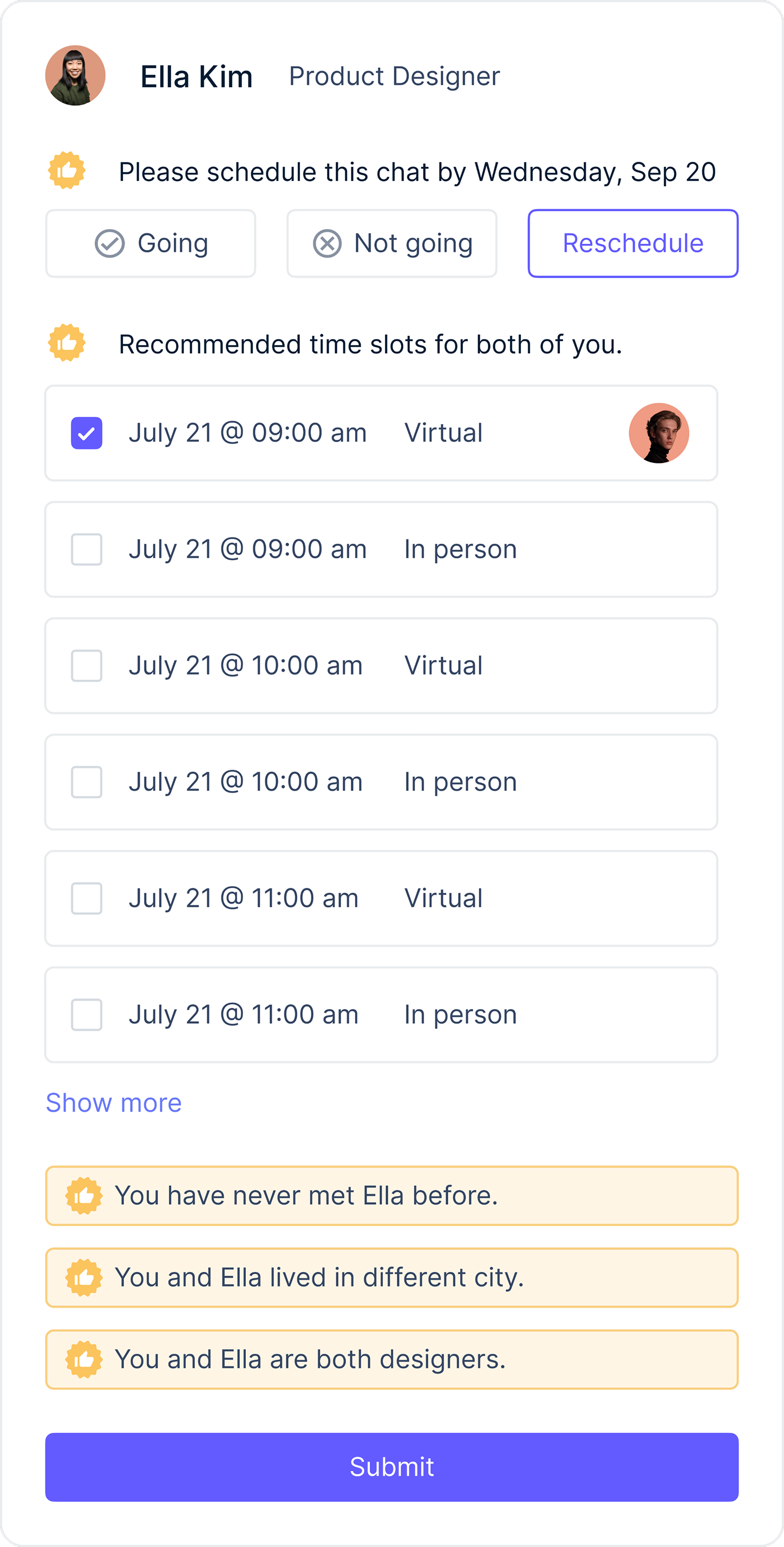
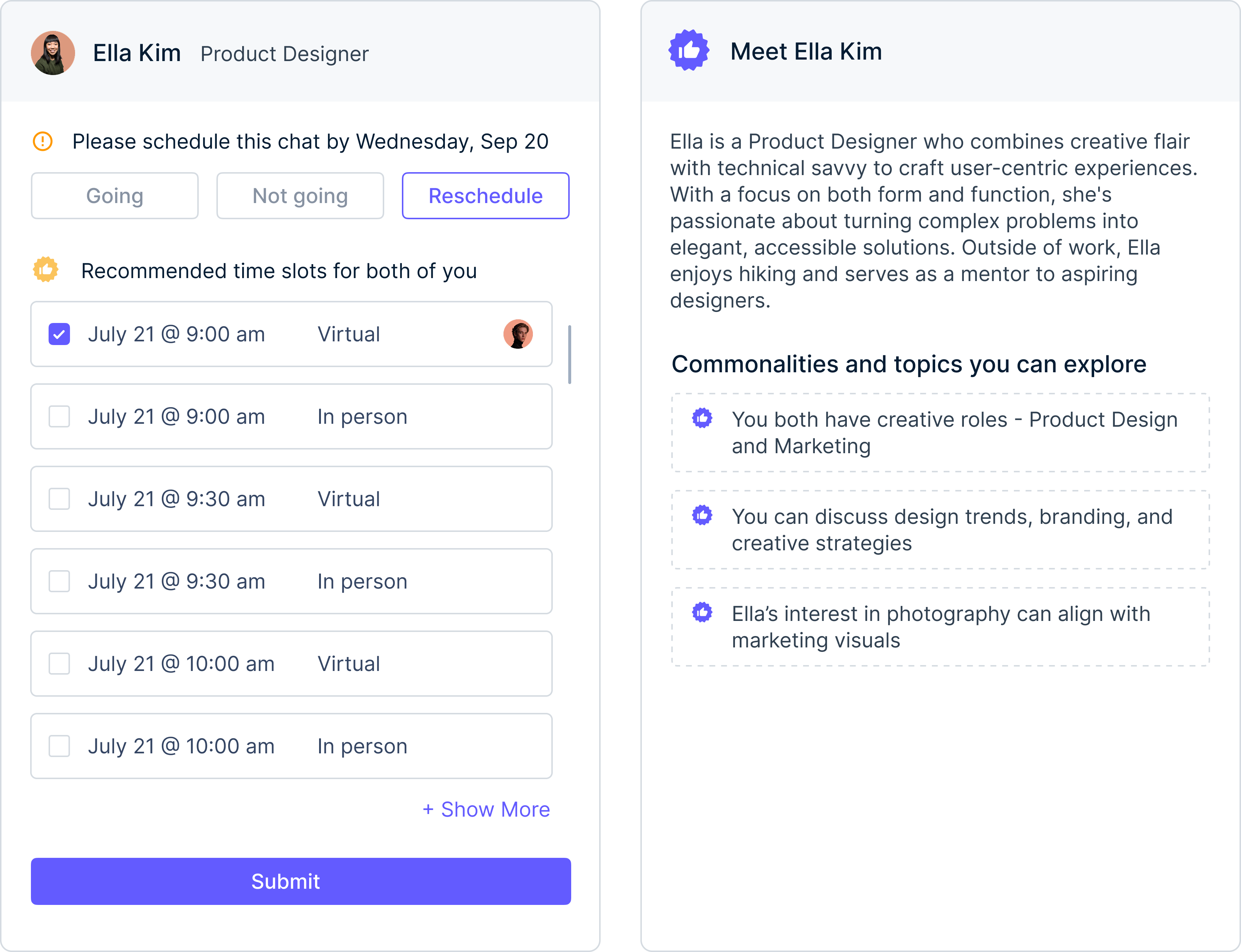
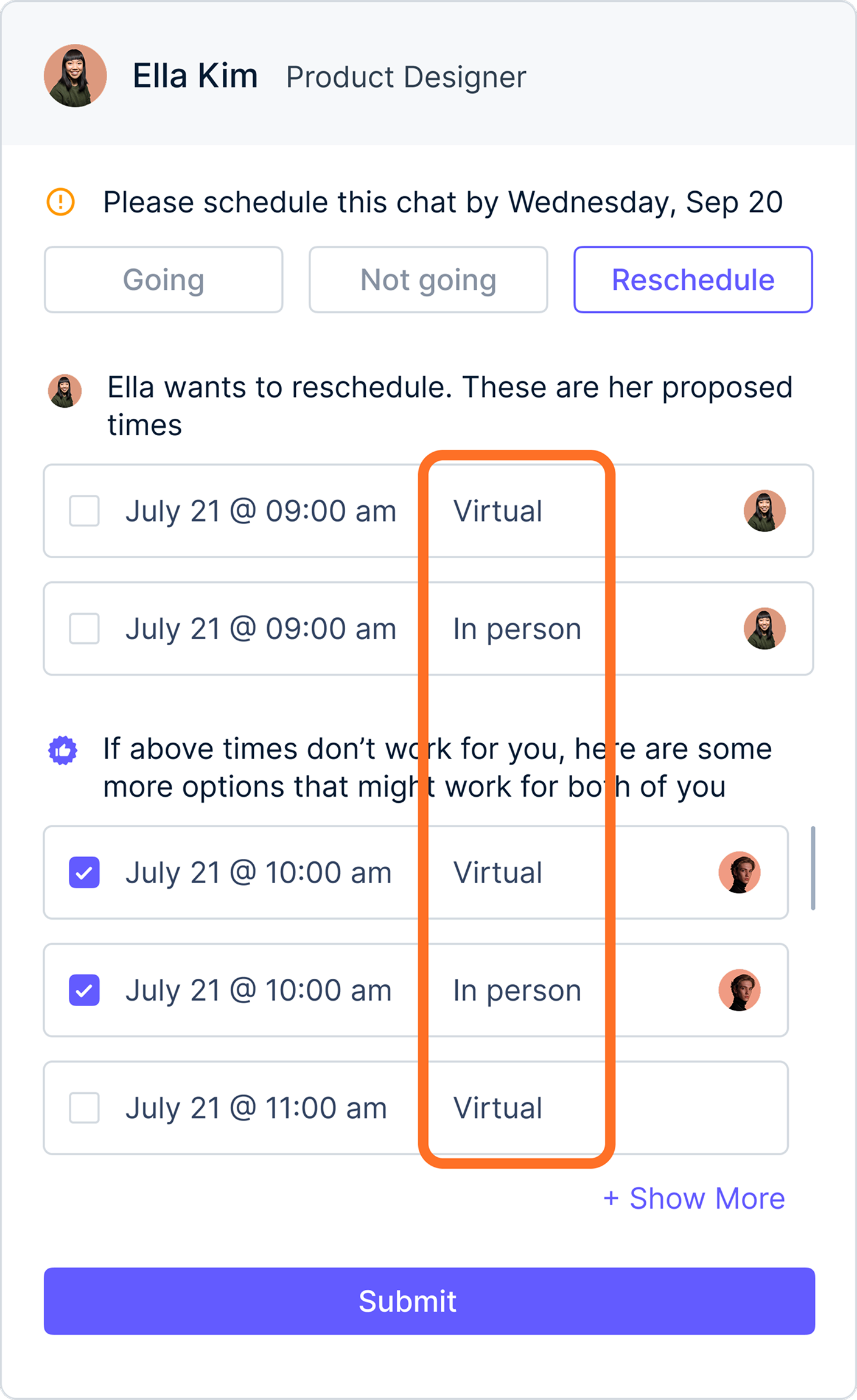
I explored letting users choose between virtual and in-person meetings, but A/B testing showed it caused delays and confusion. In-person meetings were rarely chosen in our remote and hybrid setting. We removed the selection to simplify scheduling and reduce cognitive load.
Final Design
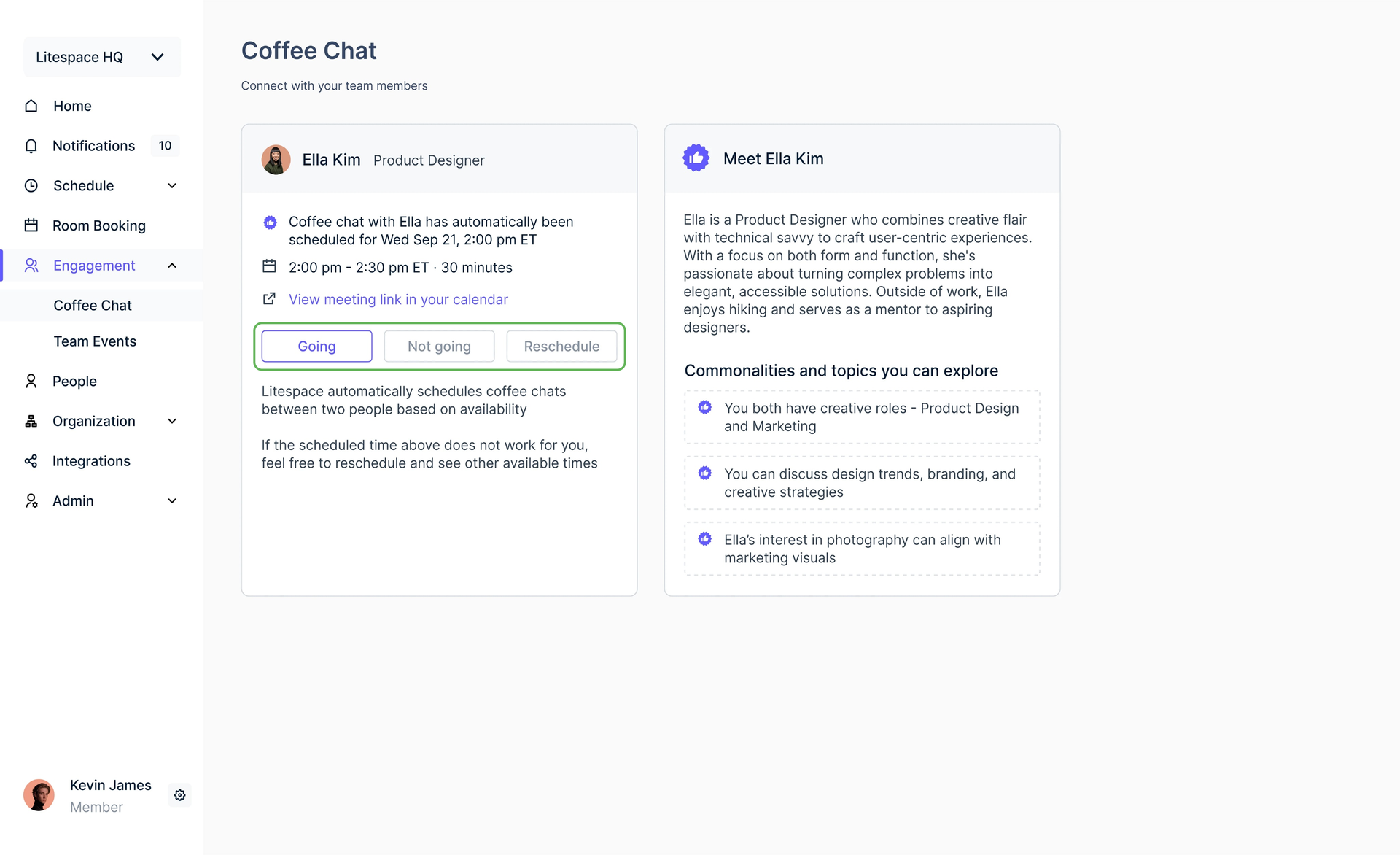
Each week you get a pairing built from your Google Calendar availability, with shared interests and suggested topics to start on. It arrives set to "Going" by default, so nobody has to be the one who says yes. Once you both confirm, a Google Meet link lands on your calendars.
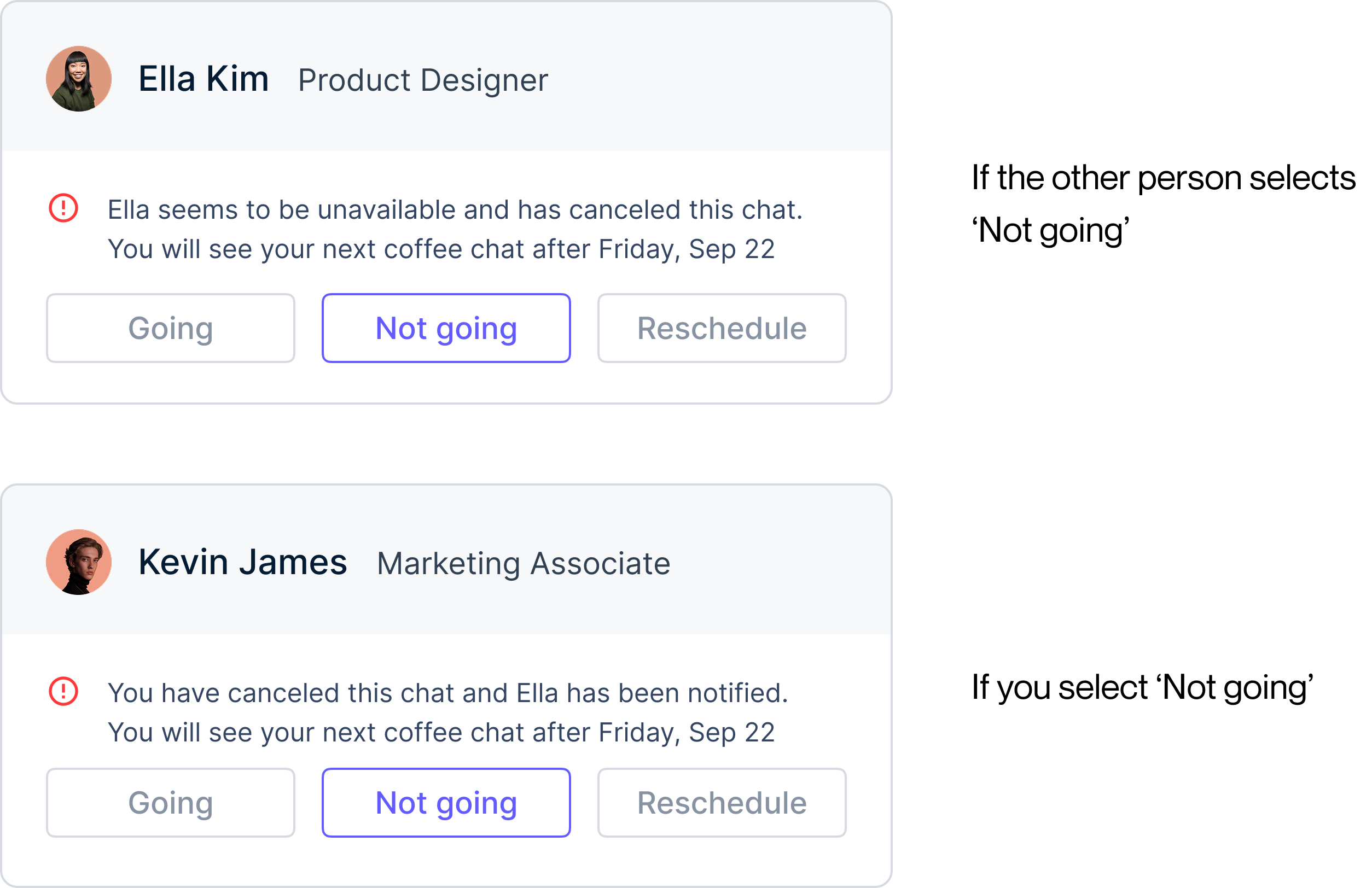
If either person declines, or never responds, you both get a notification. No reason required. Asking for one would put the pressure back. Your next chat is scheduled in the following cycle.
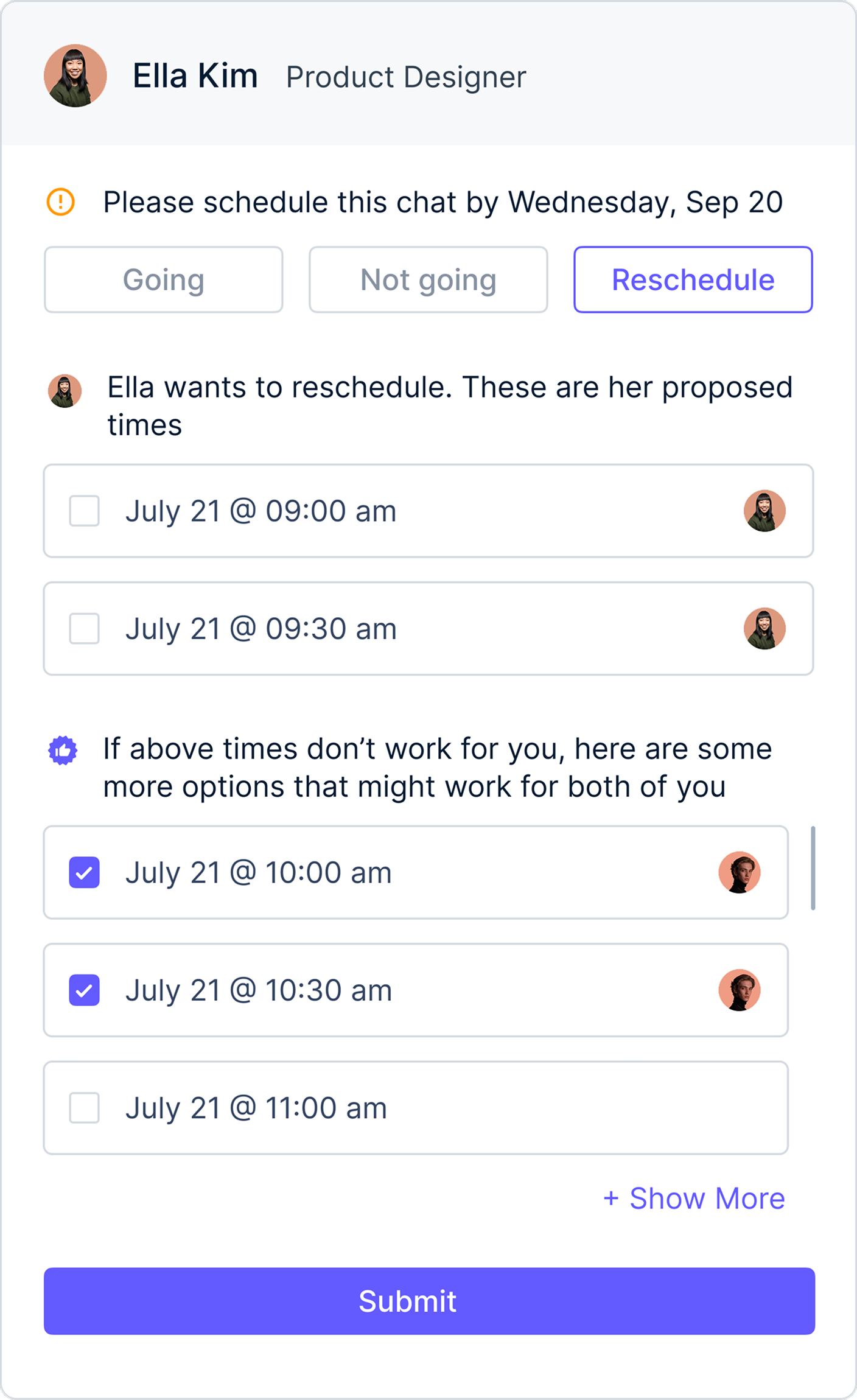
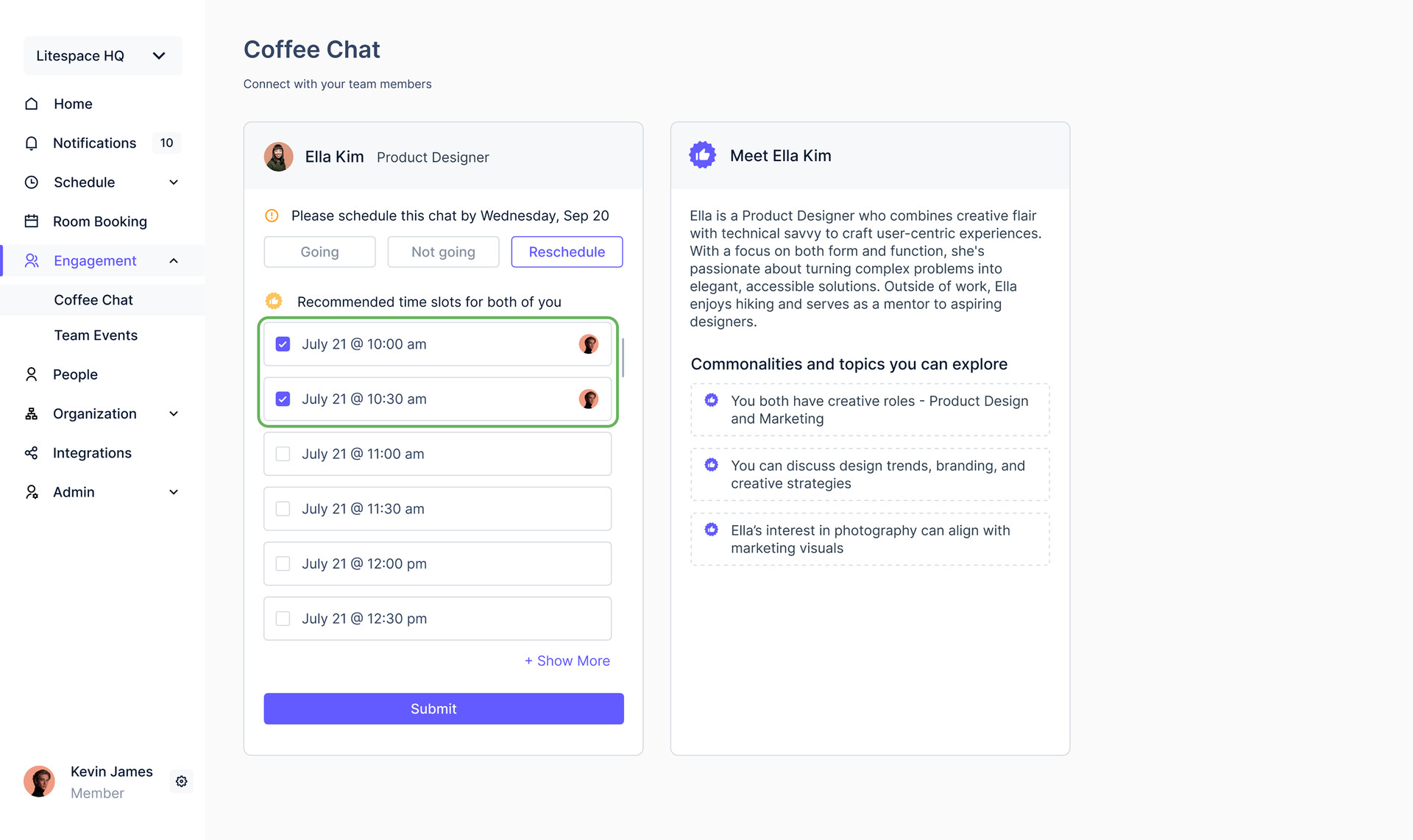
To reschedule, you pick from time slots the system recommends from your availability and theirs. Once they agree, the chat is confirmed.
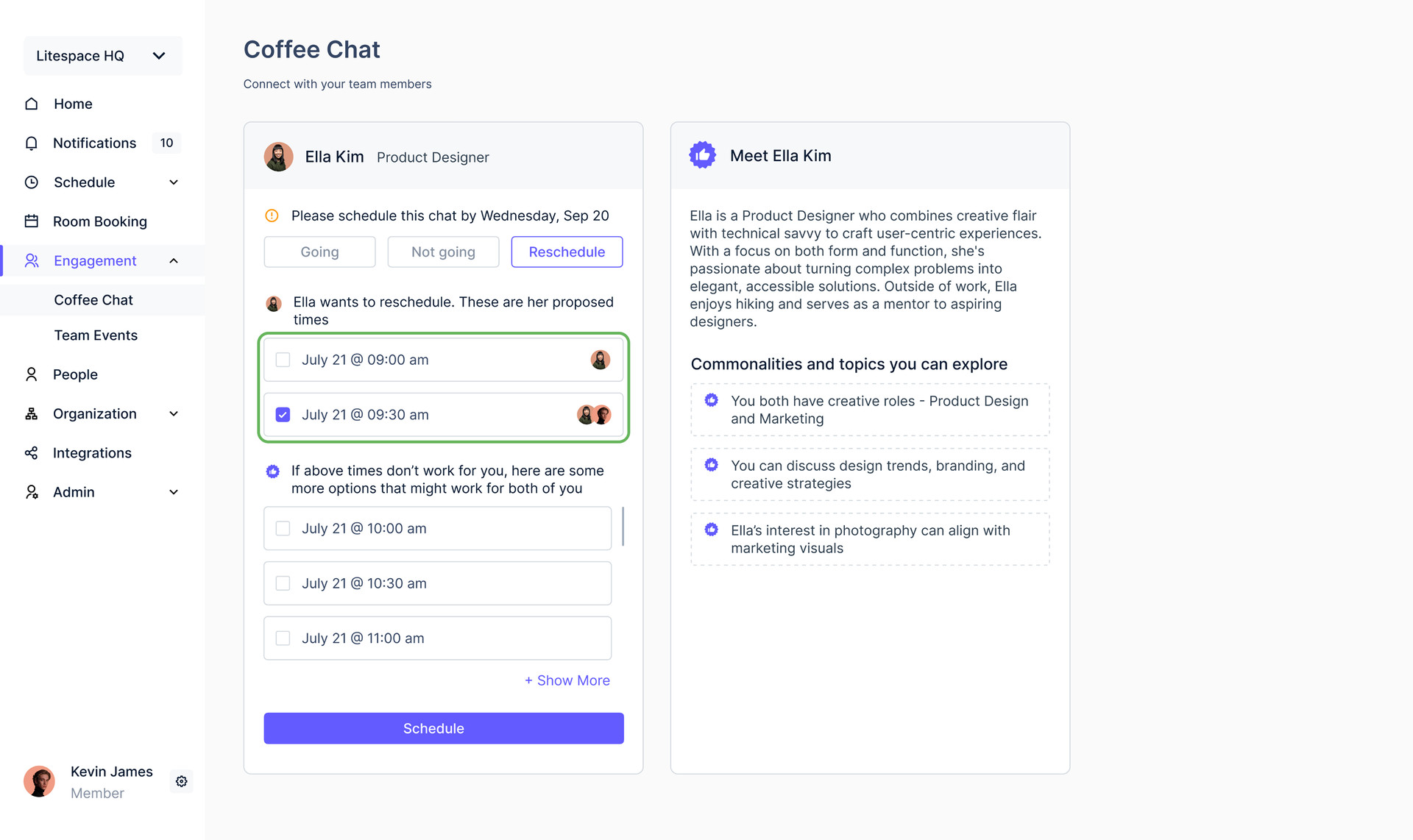
If the other person proposes new times, you review them and pick one.
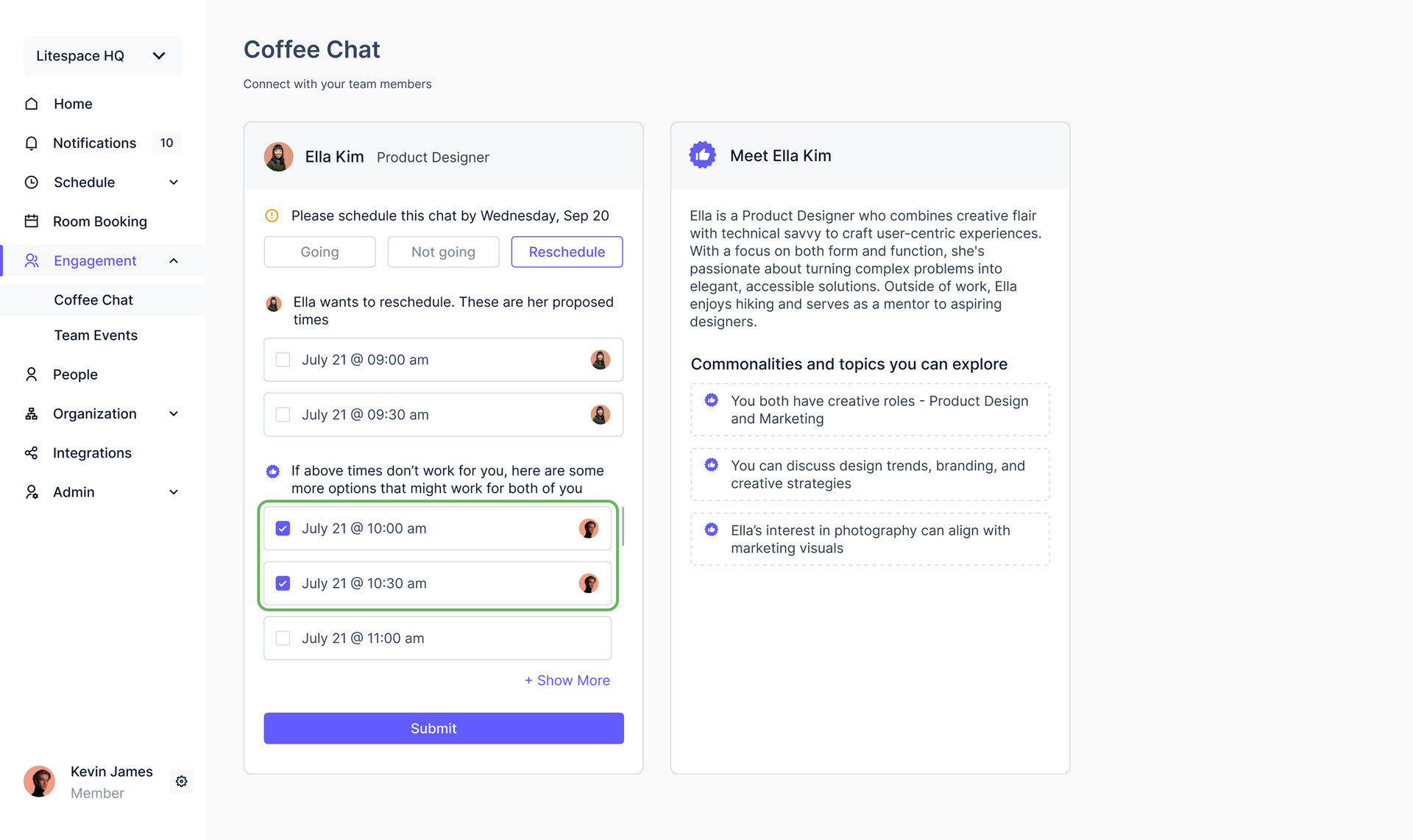
You send back your own availability for them to review.
Design System
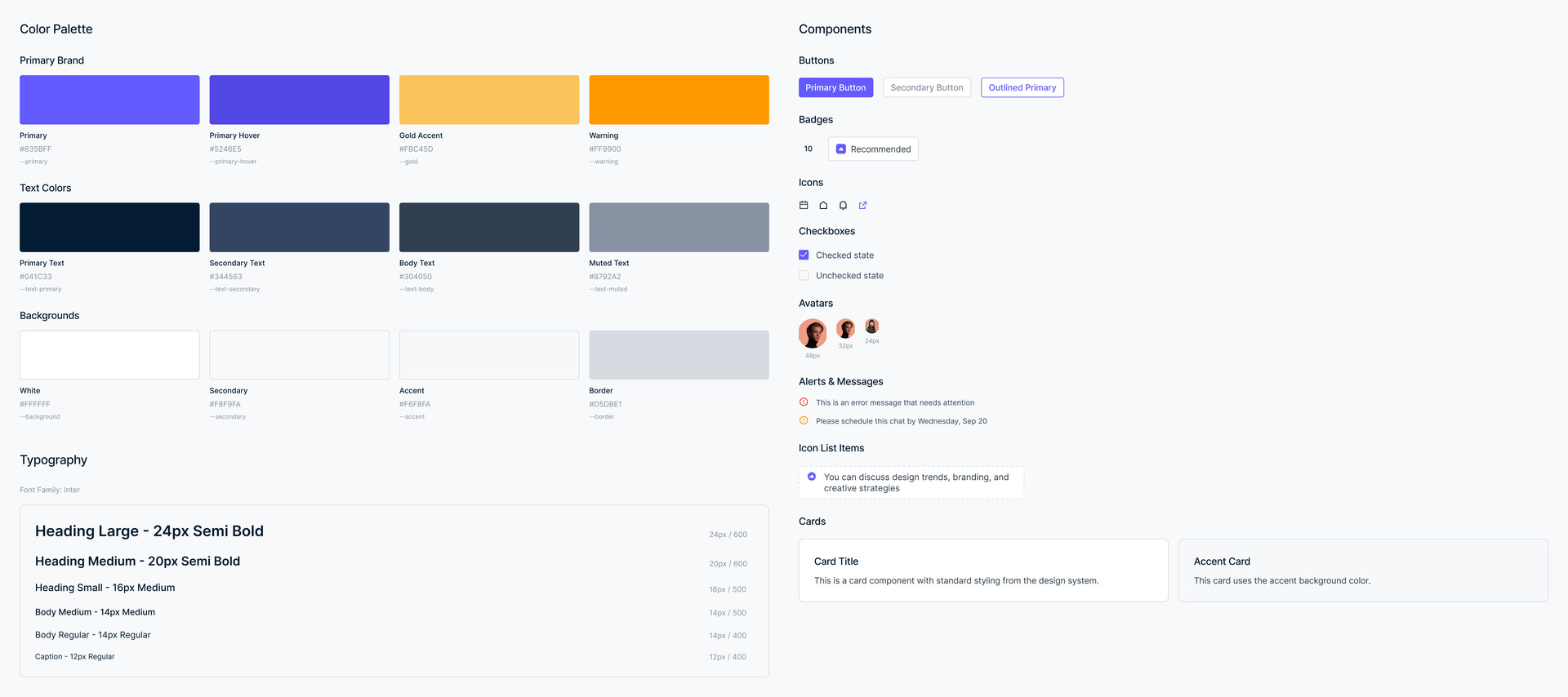
With the identity mid-swap, there was nothing settled to design on. Building Coffee Chat on the system being retired meant shipping something stale on day one, and the one replacing it did not exist yet.
So the foundations had to come first. I worked with another designer to define the new color tokens and typography, then molecule-level components that balanced consistency with flexibility for different product needs.
Reflection
Every decision that made Coffee Chat work was a removal. The match is explained so no one has to ask why they were paired. There is no message thread to negotiate, the default answer is Going so nobody has to be the first to say yes, and declining needs no reason. What looked like a matching problem was really about deleting each moment where someone had to expose themselves socially. Designing it mid-rebrand taught me the same lesson at the system level: build tokens and components, not finished screens, because those are what survive when the ground moves.
What I'd do differently
Coffee Chat solved the social barrier with structure: pairing cards, mutual calendars, careful defaults. That was the right call in 2023, and it is not how I would build it now. So I rebuilt the flow as a personal exploration: Luna, a conversational agent that opens with a match already lined up and the reasons pinned beneath it. Booking is one tap, and the rest is a conversation.
Book the chat, move it, swap the match, or tell Luna what you would rather do. If it can't help, it says so.
Powered by Claude Haiku 4.5